- Description
Description
Custom QR Code Stickers – Scan, Connect & Grow Your Business
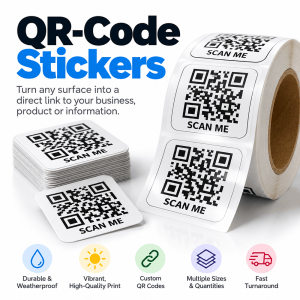
Turn any surface into a powerful marketing tool with Custom QR Code Stickers from Doorstep Printing. Make it easier for customers to visit your website, view your menu, leave a review, follow your social media, or access important information with a simple scan.
Whether you’re promoting your business, packaging products, hosting an event, or sharing digital content, our professionally printed QR code stickers connect your physical marketing materials with your online presence.
Why Choose Our Custom QR Code Stickers?
- Free QR Code Creation: Just paste the link your code should open and we create the QR code for you at no charge. Already have one? Upload your own QR code image instead.
- Professional Full-Color Printing: Sharp graphics and vibrant colors help your stickers stand out.
- Sizes & Shapes That Fit: 1″, 1.5″, 2″, 3″, and 4″ in square, circle, or rounded-corner square.
- White Vinyl or Holographic: Clean, durable white vinyl or eye-catching holographic stock.
- Custom Branding: Add your company logo, business name, colors, and a call to action.
- Bulk Ordering: Packages from 25 to 1,000 stickers, with quotes available for larger runs.
- Fast Turnaround: Standard production is 3–7 business days, with 3 Day, Next Day, and Same Day rush options available when you order.
- Convenient Ordering: Order online with local Detroit pickup and available shipping options.
Popular Uses for QR Code Stickers
- Restaurants & Food Trucks: Link customers directly to digital menus, ordering pages, and promotions.
- Retail Stores: Direct shoppers to product information, online stores, and special offers.
- Google Reviews: Make it easy for satisfied customers to leave feedback.
- Product Packaging: Add instructions, tutorials, product registration, or promotional content.
- Events & Trade Shows: Share event schedules, registration pages, and contact information.
- Real Estate: Link prospective buyers to property listings, virtual tours, and agent contact details.
- Business Marketing: Promote websites, social media profiles, appointment booking, and digital business cards.
- Churches & Nonprofits: Connect supporters to donation pages, event calendars, and organization information.
How to Order Your QR Code Stickers
- Choose Your Options: Select your size, shape, quantity, material, and turnaround.
- Add Your QR Code: Paste the link your QR code should open and we’ll create it free, or upload your own QR code image (SVG, PDF, EPS, or PNG). Need a Wi-Fi, phone, or contact-card code? Make one free with our QR Code Generator, then upload it.
- Upload Your Design (Optional): Add your logo or finished sticker design, or email it to us after ordering.
- Review Your Order: Confirm your specifications and complete checkout.
- Get Your Stickers: We test every QR code before printing, then your stickers are ready for pickup in Detroit or shipped to you.
Artwork & File Setup Guidelines
- Resolution: Submit artwork at 300 DPI at the final print size.
- Bleed: Include 0.125 inches of bleed on all sides.
- Safe Area: Keep important text, logos, and QR codes at least 0.35 inches inside the finished trim edge.
- File Formats: Print-ready PDF is preferred. AI, EPS, SVG, PNG, and high-resolution JPG files may also be submitted.
- QR Code Quality: Use a high-contrast QR code with adequate white space around it for reliable scanning.
- Testing: Verify that your QR code opens the correct destination before submitting your artwork.
See the File Setup tab for full artwork dimensions and QR code requirements.
Frequently Asked Questions
Do I need to make my own QR code?
No. Choose “Create my QR code from a link” and paste your website, menu, review page, or social profile link. We create the QR code free and test it before printing.
Can I use QR code stickers to collect Google reviews?
Yes! Link your QR code directly to your Google review page so customers can easily access it using their smartphones.
Can I add my logo to my QR code sticker?
Absolutely. Upload your logo or design and we’ll place your QR code on it while keeping it easy to scan.
Can QR code stickers link to restaurant menus?
Yes. QR code stickers are ideal for restaurant tables, takeout packaging, food trucks, counters, and menu displays.
Can I order more than 1,000 stickers?
Yes. Choose “More than 1,000” in the quantity menu to request a quote for larger runs.
Will my QR code stop working?
A standard QR code linked directly to a permanent URL will continue working as long as the destination remains available. Dynamic QR codes may offer editable destinations and tracking, depending on the QR code service used.
Make Every Scan Count!
Connect your customers to your digital world with Custom QR Code Stickers from Doorstep Printing. Perfect for businesses, restaurants, events, product packaging, and more across Detroit and beyond.
Order your custom QR code stickers today and turn everyday interactions into opportunities to grow your business!
Related Products